I won't explain CycleGAN itself in this post. The linked talk is by Taesung Park, one of the paper's authors. It's engaging and not particularly long, so I recommend watching it.
Why I started
I'd been interested in CycleGAN for a while, and wanted to make a small service people could use. I thought a gender-swap program might be entertaining. Apps already do this, FaceApp probably being the best-known example, but I wanted to make something that could give people around me a little enjoyment. Hopefully the results would be good enough. :)
This will take two posts. My local GPU currently doesn't have enough memory to train the model. When the semester ends, I'll ask whether I can borrow a university server; otherwise, there's Colab. If it works, I'd like to try other applications, too. New things are always exciting.
CycleGAN
In simple terms, CycleGAN changes data to give it the characteristics of another domain. It serves a similar purpose to pix2pix, with the major advantage that it doesn't require paired examples. These pictures make the idea clearer. I may write a paper review another time.
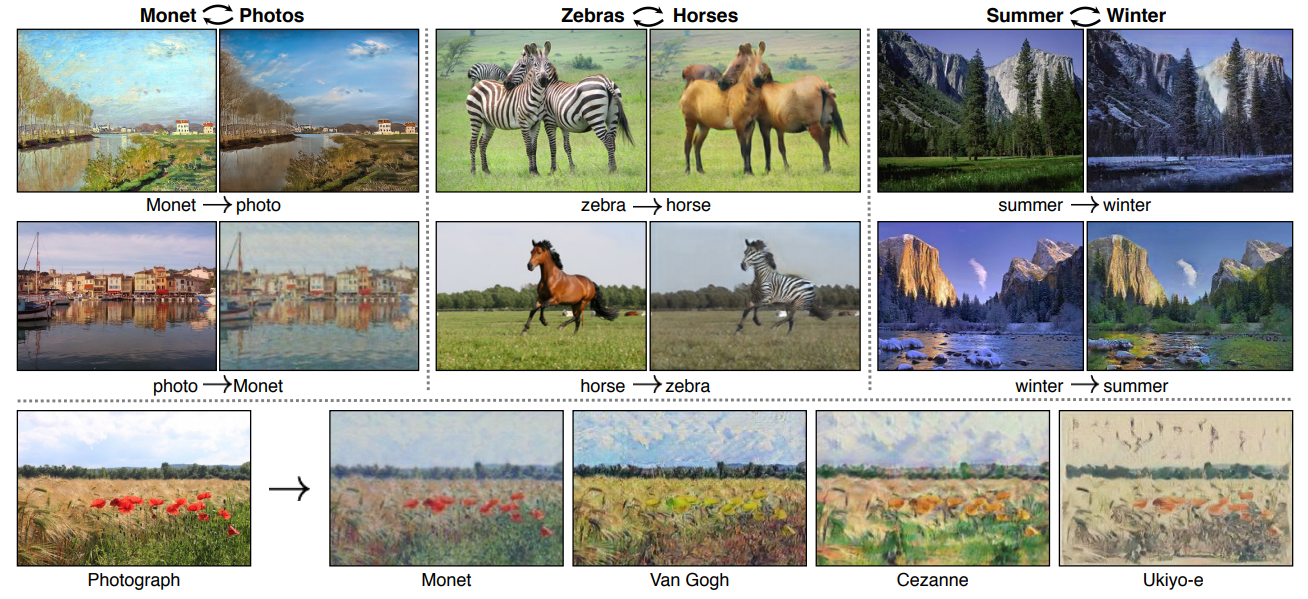
The paper shows transformations such as Monet paintings into photographs and horses into zebras. These are reportedly carefully selected examples, but they're still fascinating. CycleGAN changes characteristics while preserving the overall structure of the source image. I suspected a gender-swap task might require changing that structure more substantially, so I began with some doubts.
Collecting data
There are already preprocessed face datasets, but many concentrate heavily on Western faces. Since I wanted friends around me to enjoy the result, I worried those datasets might not transform Korean faces well. I decided to start from scratch and collect East Asian faces, mostly Korean.
I wanted variety, but also hoped the generated faces would look good, so I began with celebrities.
Raw-image download code: Python and Selenium
The original code is preserved below. The Korean placeholder 연예인들 이름 List means “list of celebrity names.”
from selenium import webdriver
from selenium.webdriver.common.keys import Keys
import time
import urllib.request

man_list = [
    연예인들 이름 List
]

count = 0

for man in man_list:

    driver = webdriver.Chrome('data_utils/chromedriver.exe')
    driver.get('https://www.google.co.kr/imghp?hl=ko&tab=wi&ogbl')

    elem = driver.find_element_by_name("q") # Get Search Bar
    elem.send_keys('{} 얼굴 사진'.format(man)) # Type search words
    elem.send_keys(Keys.RETURN) # Press Enter

    time.sleep(2)

    try:
        images = driver.find_elements_by_css_selector(".rg_i.Q4LuWd")
    except:
        continue

    if len(images) == 0 :
        continue

    for image_idx, image in enumerate(images):

        try:
            image.click()
            time.sleep(3)

            imgURL = driver.find_element_by_css_selector(".n3VNCb").get_attribute('src')
            urllib.request.urlretrieve(imgURL, 'data/celebrity_man/image_{}.jpg'.format(str(count)))

            count += 1
            if image_idx == 30 :
                break
        except:
            pass

    driver.close()
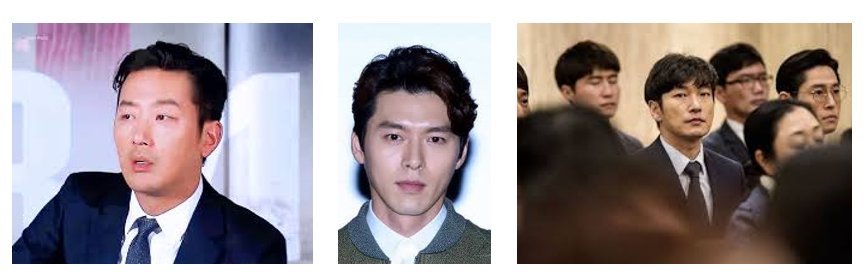
Selenium automated image collection. A three-second delay per download still made it take quite a while. I collected about thirty pictures each of roughly sixty male and sixty female celebrities. The dataset was still all celebrities, and I was thinking about how to get ordinary people's faces. Should I take pictures of myself from several angles?
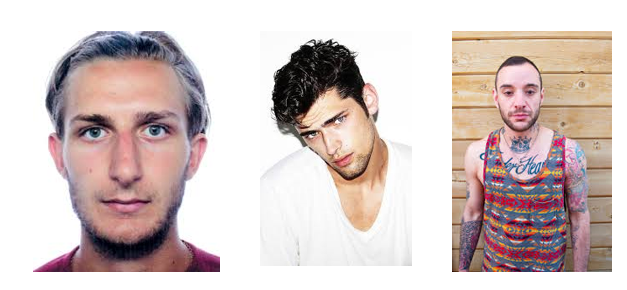
I also included some non-Korean faces because I thought an entirely Korean dataset might not capture enough gender-related variation. I searched for foreign male and female faces, but most results were white. I'd need to add more Black faces later. Why so biased, Google?
Preparing the data
The examples above are among the cleaner downloads. Searching a name also brought back group photos and images covered in text. There was a great deal of noise, and feeding it straight to CycleGAN clearly wasn't going to end well. Avoiding the painful part of a process rarely seems to produce a good result.
I decided to crop to the face and hairstyle, because I thought backgrounds and clothing might distract the model. I used the Python face_recognition library. Aside from installation errors, it was convenient and worked well.
Cropping faces with face_recognition
Here, the Korean placeholder 이미지 개수 means “number of images.”
import face_recognition
import cv2

count = 0

for i in range(이미지 개수):

    img_Url = 'data/foreign_man/image_{}.jpg'.format(i)
    image = face_recognition.load_image_file(img_Url)

    # (top, right, bottom, left) order
    face_locations = face_recognition.face_locations(image)

    if len(face_locations) > 1:
        continue

    try:
        for idx, location in enumerate(face_locations):

            src = cv2.imread(img_Url, cv2.IMREAD_COLOR)
            height, width, channels = src.shape


            face_hieght = location[2] - location[0]
            face_width = location[1] - location[3]

            face_top = location[0] - int(face_hieght * 0.7)
            face_bottom = location[2] + int(face_hieght * 0.5)
            face_left = location[3] - int(face_width * 0.5)
            face_right = location[1] + int(face_width * 0.5)

            if face_top <= 0 : face_top = 0
            if face_bottom >= height-1 : face_bottom = height
            if face_left <= 0 : face_left = 0
            if face_right >= width-1 : face_right = width

            cv2.imwrite('data/man_face/{}.jpg'.format(count), src[face_top:face_bottom, face_left:face_right])
    except:
        continue

    count += 1
I expanded the detected face box by about 2.2 vertically and 2 horizontally before cropping. I needed the hairstyle as well as the facial features. Here are the resulting crops.
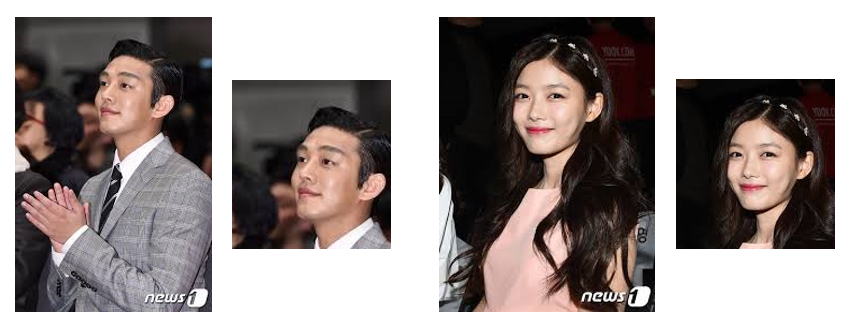
After cropping and removing very small images, I had 805 male-face images and 767 female-face images. Many pictures were different but showed nearly the same face, so the dataset still needed work. I planned to remove near-duplicates and add variety. Does anyone know a good source of Korean face images? After staring at so many attractive celebrities, I didn't want to look in the mirror for a while. Dazzling work, literally.
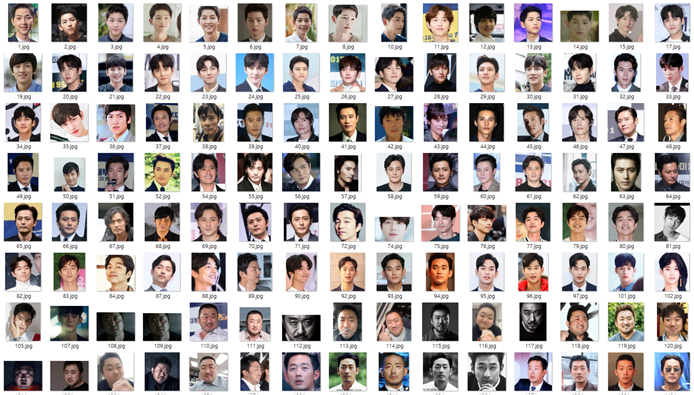
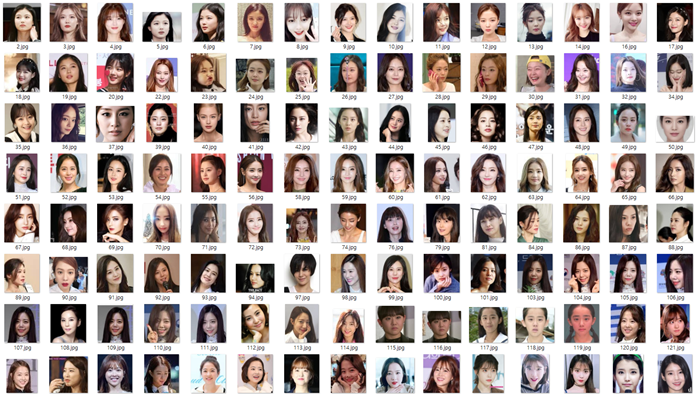
Next time, I'll cover training and results. That depends on getting GPU access, though. Training will be difficult until I can borrow a server. Is there an easy way for an individual to get GPU time? If the results are good, I'd love to deploy a small webpage. I also planned to share the dataset through GitHub, probably using Google Drive for the files.
Wrapping up part one
This is my first time independently starting a new project from the beginning, and it's been a lot of fun. I get to use a model I already find interesting, work on an entertaining idea, and imagine friends enjoying it when it's finished. Studying CycleGAN along the way is another bonus. Maybe a paper review won't be far behind. Thanks for reading!